Facets – More>> List
Expanding Facets
To view all filters available from your search, select more >> at the bottom of the list.

There are two ways you can interact with this area.
-
Filtering by keyword
-
Sorting numerically or alphabetically
Filter by keyword
- Use the text box to search for a term

- Once you hit enter, the term will appear at the top of the list with a blue highlight.
- To return to the original list, select the X next to the term.

Sorting numerically or alphabetically
-
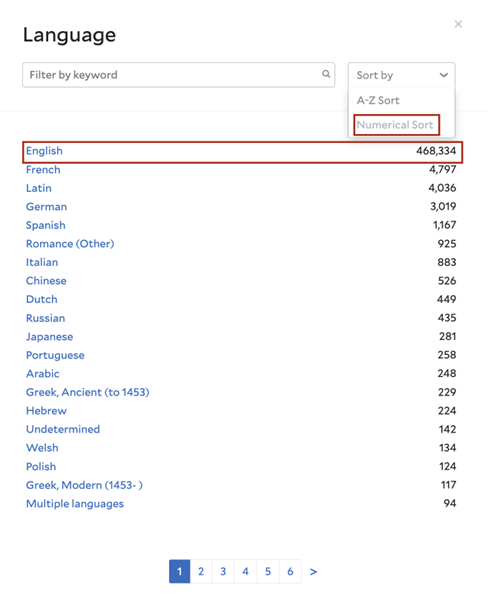
To sort numerically or alphabetically, use the "Sort by" drop-down menu.

Sorting numerically
-
By default, all facets will display the values organized numerically. This means that the value with the most results will appear first.
Sorting alphabetically
-
To sort alphabetically, select the box “Sort by,” and in the drop-down menu, select “A-Z Sort.”

Returning to the catalog
-
To return to the catalog with your new filter selections applied, select the x at the right corner of the box.
